Cloud Connected Audio: Complete Guide to How It Works
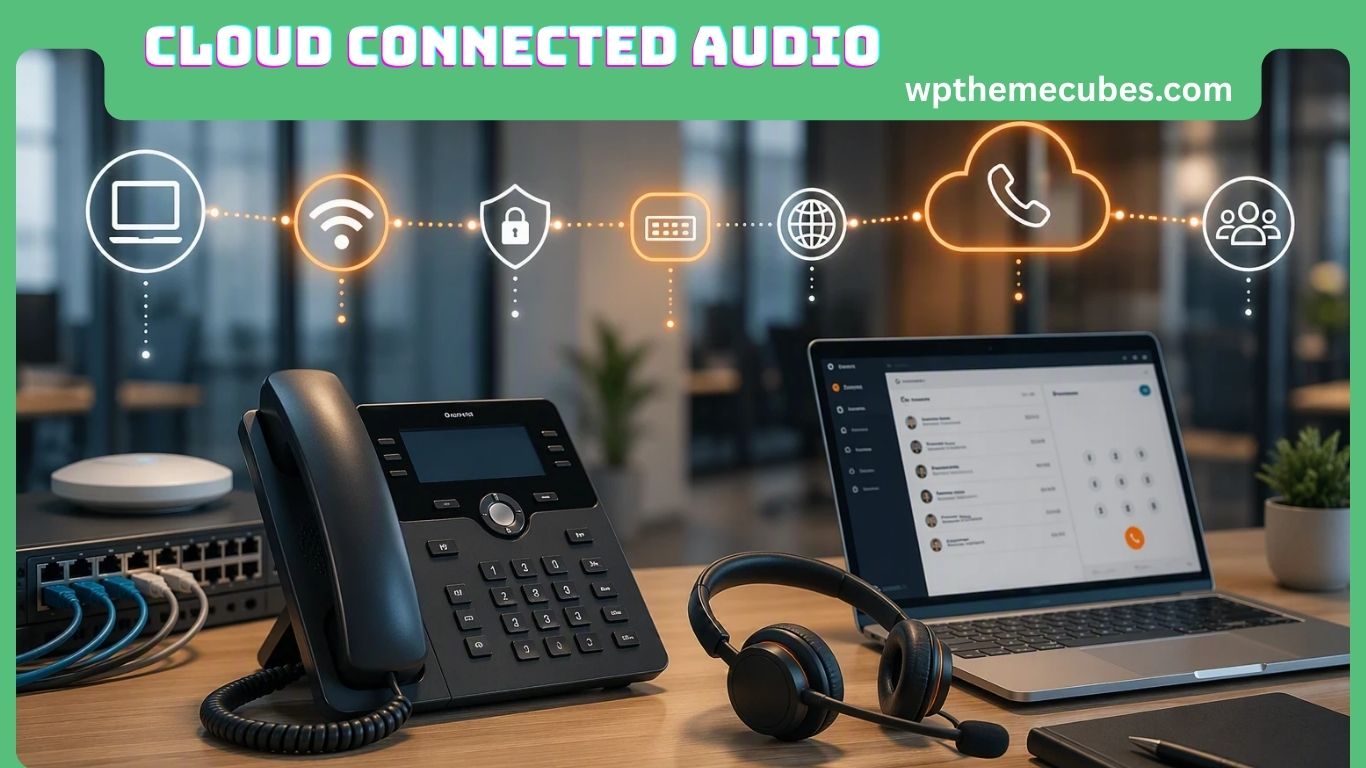
Cloud connected audio is becoming an important part of modern communication, collaboration, entertainment, and business technology. Instead of keeping audio processing, control, and communication entirely on local equipment, cloud connected audio uses internet-connected services to connect audio systems with cloud platforms.
In simple terms, cloud connected audio creates a direct connection between an organization’s communication system and cloud-based collaboration platforms. This can make it easier to manage meetings, voice communication, conferencing, announcements, devices, and other audio services from a centralized environment.
The term can describe several related technologies. In business communications, it can refer to audio conferencing integrated with cloud collaboration platforms. In networked audio, it can describe speakers, microphones, amplifiers, and other devices managed through cloud software. Consumer products such as smart speakers and connected headphones can also use cloud infrastructure for voice recognition, synchronization, streaming, and other features.
A well-known enterprise example is Cisco Webex Cloud Connected Audio, which integrates audio conferencing with Webex meetings and can connect customer or service-provider infrastructure directly with Cisco’s collaboration cloud. Cisco describes the service as a scalable audio conferencing solution designed to provide an integrated audio, video, and web meeting experience.
As organizations continue moving communication systems toward cloud platforms, understanding cloud connected audio can help businesses, IT teams, employees, and technology buyers make better decisions.
What Is Cloud Connected Audio?
Cloud connected audio is an audio technology model in which audio devices, communication systems, and cloud services work together through an internet or IP-based connection.
Traditional audio systems often depend heavily on physical equipment. A company might have a local phone system, conference bridge, amplifier, mixer, or paging controller. Changes may require an engineer to configure equipment at the physical location.
Cloud connected audio changes this model by moving some management, processing, integration, storage, or communication functions into cloud infrastructure.
For example, an organization could have microphones and conference-room speakers connected to a local network. Those devices can communicate with a cloud collaboration service. Employees can then join meetings, share audio, manage settings, or use other communication features through the cloud platform.
The exact architecture varies from one solution to another. Some systems process most audio locally and use the cloud mainly for management. Other systems send audio streams to cloud services for processing, mixing, routing, storage, or artificial intelligence functions.
Therefore, cloud connected audio should not be treated as one specific product. It is better understood as a technology approach that connects audio infrastructure with cloud services.
Cloud Connected Audio in Simple Terms
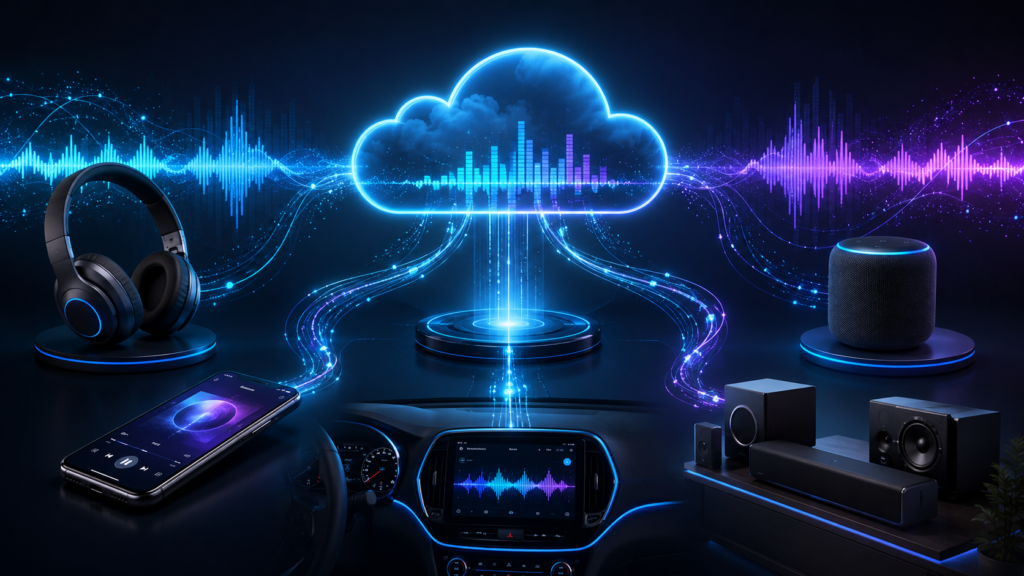
The easiest way to understand cloud connected audio is to think about the relationship between an audio device and a cloud platform.
A microphone captures your voice.
A network carries the digital audio.
A cloud service can route, process, mix, analyze, or manage that audio.
The result is delivered to another user, device, application, or speaker.
This can happen extremely quickly, which allows users to communicate without needing to understand the technical systems operating behind the scenes.
For businesses, this model can connect meeting rooms, employees, phone systems, conferencing services, and collaboration applications.
For consumers, similar technology can connect smart speakers, headphones, voice assistants, streaming services, and mobile applications.
How Does Cloud Connected Audio Work?
Cloud connected audio usually involves several layers working together.
1. Audio Devices
The first layer consists of physical devices.
Also Read:Pasonet: Meaning, Uses, Benefits, and Digital Connectivity Guide
These may include:
- Microphones
- Speakers
- Headsets
- Conference phones
- Network amplifiers
- Intercom systems
- Smart speakers
- Audio gateways
- Digital signal processors
- Mobile devices
- Computers
- Video conferencing equipment
These devices capture or reproduce sound.
Modern network audio devices can also contain software that allows administrators to monitor and control them remotely.
2. Local Network
The audio device normally connects to a local network through Ethernet or Wi-Fi.
In enterprise environments, wired Ethernet is often useful because it can provide stable connectivity and, with Power over Ethernet (PoE), may also supply electrical power to compatible devices.
Network design becomes especially important when many audio endpoints are involved. Network segmentation, bandwidth planning, quality-of-service policies, and power budgets can all affect reliability.
3. Internet Connection
The local network connects the organization to external cloud services through an internet connection or other managed network connection.
The quality of this connection can have a major effect on cloud audio.
A poor connection can produce:
- Delay
- Audio dropouts
- Packet loss
- Distortion
- Disconnections
- Synchronization problems
For this reason, cloud connected audio should be designed as both an audio system and a network system.
4. Cloud Platform
The cloud platform provides the software services behind the system.
Depending on the product, the cloud may handle:
- Audio routing
- Meeting integration
- Device management
- User authentication
- Audio mixing
- Voice recognition
- Noise reduction
- Analytics
- Recording
- Configuration
- Software updates
- Scheduling
- Remote monitoring
Not every cloud audio solution uses the cloud for all of these functions.
5. Collaboration or Communication Application
The final layer is often a collaboration application.
This could include a business meeting platform, unified communications service, contact-center system, or another cloud communication application.
Cisco’s Cloud Connected Audio, for example, is designed to integrate audio conferencing with Webex meetings rather than treating audio as a completely separate service.
Cloud Connected Audio vs. Traditional Audio Systems
The biggest difference between cloud connected audio and traditional systems is where management and communication functions take place.
A traditional system may rely heavily on local equipment. If a business has multiple offices, each office may need separate equipment and local configuration.
A cloud connected model can centralize many of these functions.
For example, an IT administrator could potentially manage devices across several locations from one dashboard. Networked audio systems can support centralized zone management, scheduling, monitoring, and remote troubleshooting.
However, cloud connected audio does not automatically make every system better.
Traditional systems can still offer advantages in environments where local control, predictable latency, offline operation, or existing infrastructure are especially important.
The best choice depends on the organization’s goals, network quality, security requirements, budget, and existing equipment.
Key Features of Cloud Connected Audio
Cloud connected audio systems can offer many different features.
Centralized Management
Centralized management is one of the most important benefits.
Instead of configuring every audio endpoint separately, administrators may be able to manage multiple devices through a web-based interface.
This can be useful for companies with:
- Multiple offices
- Retail stores
- Schools
- Healthcare facilities
- Warehouses
- Large campuses
Remote Monitoring
Administrators can monitor connected devices without always visiting the physical location.
A dashboard may show whether a device is online, whether it has an error, or whether it needs attention.
Remote monitoring can reduce the need for unnecessary service visits.
Cloud-Based Collaboration
Cloud connected audio can make audio a natural part of broader collaboration systems.
Users may be able to join meetings through computers, smartphones, conference rooms, or other compatible devices.
This can create a more consistent communication experience across different environments.
Automatic Updates
Some cloud-managed systems allow software and firmware updates to be distributed remotely.
This can reduce the need for technicians to manually update individual devices.
However, organizations should still use controlled update policies because an update can sometimes cause compatibility or operational issues.
Scalability
Cloud platforms can make it easier to add users, locations, or devices.
For example, a growing business may be able to add new conference rooms to its existing management environment rather than creating a completely separate audio infrastructure.
Analytics
Some cloud audio platforms provide information about system usage and performance.
Possible data points include:
- Device status
- Meeting activity
- Call statistics
- Usage patterns
- Error reports
- Audio performance
Analytics can help organizations identify recurring problems and improve resource planning.
Benefits of Cloud Connected Audio for Businesses
Cloud connected audio can provide several practical benefits.
Better Collaboration
Employees increasingly work from different locations.
One employee may work from a corporate office, another from home, and another from a different state.
Cloud communication platforms can connect these users through a shared environment.
Integrated audio can reduce the separation between phone calls, video meetings, and other collaboration activities.
Easier Multi-Site Management
A company with many locations can face significant challenges when every site has separate audio infrastructure.
A cloud-connected architecture can centralize management.
This does not eliminate the need for local network equipment, but it can reduce the amount of local administration required.
Lower Infrastructure Complexity
Cloud services can reduce dependence on some specialized on-premises equipment.
Cisco, for example, highlights cloud-based scalability and reduced administration of complex on-premises audio solutions as benefits of its Cloud Connected Audio offering.
The financial result, however, depends on licensing, network costs, hardware requirements, support contracts, and the organization’s existing infrastructure.
Faster Deployment
Cloud services can sometimes be deployed faster than traditional systems because organizations do not need to build every communication function from scratch.
The actual installation time still depends on network readiness, hardware, security approvals, and vendor requirements.
Easier Remote Support
Cloud management can help IT teams investigate problems remotely.
Instead of immediately sending someone to a conference room, an administrator may first check whether the device is online, whether configuration settings are correct, or whether the network is experiencing problems.
Where Is Cloud Connected Audio Used?
Cloud connected audio is not limited to corporate meetings.
Corporate Offices
Businesses use connected audio for:
- Conference rooms
- Employee meetings
- Voice calls
- Internal announcements
- Training sessions
- Hybrid collaboration
Modern meeting rooms often combine microphones, speakers, cameras, displays, and cloud collaboration applications.
Schools and Universities
Educational organizations can use networked audio for:
- Classroom communication
- Campus announcements
- Emergency notifications
- Bell systems
- Events
- Multi-building paging
Central management can be especially useful when a campus contains many buildings.
Healthcare Facilities
Hospitals and clinics have demanding communication requirements.
Networked audio can support certain types of paging, notifications, and communication infrastructure.
Healthcare organizations must pay particular attention to security, reliability, access control, privacy, and regulatory requirements.
Audio systems used for critical communications should also have appropriate backup and failure-handling procedures.
Retail Stores
Retail businesses with many locations can use cloud-managed audio to control:
- Background music
- Promotional announcements
- Store messages
- Scheduled audio
- Device monitoring
Instead of changing settings separately in every store, an organization may be able to manage many locations from a central system.
Warehouses and Industrial Sites
Large facilities can use network audio for announcements, operational communication, and safety messages.
Industrial environments may require specialized speakers and equipment because of noise, temperature, dust, or outdoor exposure.
Contact Centers
Contact centers are another important use case.
Cloud-based contact-center systems can connect voice communication with customer records, routing systems, analytics, transcription, and artificial intelligence.
In this environment, audio becomes part of a larger digital workflow rather than simply being a phone call.
Cloud Connected Audio and VoIP
Cloud connected audio and Voice over Internet Protocol (VoIP) are closely related, but they are not exactly the same thing.
VoIP is a technology for transmitting voice communication over IP networks.
Cloud connected audio is a broader concept.
It can include VoIP, but it can also include:
- Cloud-managed speakers
- Network paging
- Conference-room audio
- Streaming
- Smart speakers
- Voice assistants
- Cloud audio processing
- Connected microphones
- Audio analytics
A cloud connected audio system may therefore use VoIP technologies without being limited to traditional business phone calls.
Cloud Connected Audio and Unified Communications
Unified Communications, often called UC, combines multiple communication methods into a broader system.
These can include:
- Voice
- Video
- Messaging
- Meetings
- Presence
- Collaboration
- File sharing
Cloud connected audio can serve as the voice layer within this larger environment.
This integration is important because employees generally do not want to think about which separate system is handling their microphone, phone call, conference meeting, or speaker.
A well-designed system makes communication feel like one connected experience.
Cloud Connected Audio and Artificial Intelligence
Artificial intelligence is becoming an increasingly important part of modern audio technology.
Cloud infrastructure can provide the computing resources needed for advanced audio processing.
Possible AI features include:
- Speech recognition
- Automatic transcription
- Noise suppression
- Speaker identification
- Translation
- Voice commands
- Call summaries
- Audio classification
- Intelligent routing
For example, an AI service can convert a meeting conversation into text and create a searchable transcript.
Another system may use AI-based noise suppression to reduce background sounds during a meeting.
However, AI also creates additional privacy and security concerns because audio may contain sensitive information.
Organizations should understand where recordings and transcripts are stored, how long they are retained, who can access them, and whether the data is used to train models.
Advantages of Cloud Connected Audio
The main advantages can be summarized as follows:
- Centralized management
- Remote monitoring
- Easier scalability
- Cloud collaboration integration
- Flexible device access
- Potentially faster deployment
- Remote troubleshooting
- Software-based feature updates
- Integration with analytics
- Support for AI-powered audio features
The value of these benefits depends on the specific implementation.
A small office with one meeting room may not need an advanced cloud audio architecture.
A company with hundreds of locations may benefit much more from centralized management.
Challenges of Cloud Connected Audio
Cloud connected audio also has limitations.
Also Read:Orange Aura Meaning: Personality, Love, Energy & Symbolism
Internet Dependency
One of the biggest concerns is network dependency.
If the internet connection fails, cloud-dependent features may stop working.
This is especially important for emergency communication, healthcare, industrial facilities, and other environments where communication must remain available.
A strong architecture should consider local fallback options.
Latency
Audio communication is sensitive to delay.
A small delay may not be noticeable when listening to stored content, but it can become frustrating during a live conversation.
Real-time systems therefore need careful network design and efficient processing.
Cloud audio providers may use regional infrastructure, edge processing, optimized codecs, and other techniques to reduce delay.
Bandwidth Requirements
High-quality audio consumes network resources.
Organizations with many simultaneous audio streams need enough network capacity.
Network congestion can reduce quality and cause interruptions.
Security Risks
Connecting audio devices to the cloud creates another potential attack surface.
Security problems can occur if:
- Devices use weak passwords
- Firmware is outdated
- Access permissions are too broad
- Cloud accounts are compromised
- Network segmentation is poor
- APIs are improperly protected
Security should therefore be part of the design from the beginning.
Vendor Lock-In
Some cloud audio platforms depend heavily on proprietary software, hardware, APIs, or licensing.
Moving to another provider later may be difficult or expensive.
Organizations should evaluate interoperability before making long-term purchases.
Subscription Costs
Cloud systems often use recurring subscriptions.
Although subscription pricing can reduce some upfront costs, organizations need to consider the total cost over several years.
The right comparison is not simply hardware price versus subscription price.
It should include:
- Hardware
- Licensing
- Internet connectivity
- Installation
- Maintenance
- Technical support
- Security
- Upgrades
- Training
Cloud Connected Audio Security
Security should be a central part of any cloud audio deployment.
Organizations should use strong authentication and limit administrative privileges.
Multi-factor authentication can provide an additional layer of account protection.
Devices should receive security updates when available.
Network segmentation can also help separate audio equipment from other sensitive systems.
For enterprise environments, IT teams should evaluate:
- Encryption
- Identity management
- Access control
- Device authentication
- Audit logs
- Data retention
- API security
- Firmware security
- Backup procedures
- Incident response
Cloud security is not only the responsibility of the provider.
The customer also has responsibilities for accounts, devices, configurations, networks, and user access.
Privacy Considerations for Cloud Audio
Audio can contain highly sensitive information.
A business meeting might include confidential financial information.
A healthcare conversation could contain private patient information.
A customer service call could include personal details.
Before adopting cloud connected audio, organizations should understand what information leaves the local environment.
Important questions include:
- Is audio recorded?
- Where is it stored?
- How long is it retained?
- Who can access it?
- Is transcription enabled?
- Are recordings encrypted?
- Can administrators delete recordings?
- Does the provider use audio data for analytics or model training?
- What happens when an employee leaves the organization?
Privacy policies and vendor agreements should be reviewed carefully.
How to Choose a Cloud Connected Audio Solution
There is no single best cloud audio solution for every organization.
Start with the business requirement.
A company that only needs video meetings may need a different solution from a retailer that wants centralized audio across 500 stores.
Consider the following areas.
Compatibility
Check whether the system works with existing:
- Phones
- Speakers
- Microphones
- Conference equipment
- Network infrastructure
- Collaboration platforms
Network Requirements
Understand bandwidth, latency, firewall, DNS, VLAN, PoE, and connectivity requirements.
Security
Review authentication, encryption, device management, access controls, and security certifications where relevant.
Reliability
Ask what happens when the internet connection fails.
A good solution should have an appropriate failure and recovery strategy.
Scalability
Consider both current and future needs.
A solution that works for ten devices may become difficult to manage at 1,000 devices.
Integration
Look for support for the communication and collaboration platforms already used by the organization.
Cost
Calculate the total cost of ownership rather than focusing only on monthly subscription fees.
Best Practices for Deploying Cloud Connected Audio
A successful deployment usually begins with planning.
Assess Existing Infrastructure
Document existing equipment and networks before replacing anything.
This can reveal which devices can be reused.
Test the Network
Check bandwidth, latency, packet loss, and reliability.
Audio problems are often network problems rather than speaker problems.
Use Network Segmentation
Separate audio and communication devices from unrelated systems where appropriate.
This can improve security and make troubleshooting easier.
Plan for Failure
Ask what happens if:
- Internet access disappears
- A cloud service becomes unavailable
- A switch fails
- A device loses power
- A microphone stops working
Critical systems should have suitable backup procedures.
Control Access
Give administrators only the permissions they need.
Remove access when employees change roles or leave the organization.
Keep Devices Updated
Apply security and firmware updates according to a controlled maintenance process.
Train Users
Even advanced technology can fail if employees do not understand how to use it.
Simple training can reduce unnecessary support requests.
Cloud Connected Audio vs. On-Premises Audio
The choice between cloud and on-premises audio is not always a simple question of old versus new.
On-premises systems can provide direct local control and may continue operating even when internet connectivity is interrupted.
Cloud systems can provide easier centralized management and integration with modern collaboration platforms.
A hybrid model can combine both approaches.
For example, local audio devices can perform essential functions while cloud services provide centralized management and collaboration features.
This can be especially useful when reliability is critical.
Why Cloud Connected Audio Matters in 2026
Cloud connected audio is becoming more important because modern communication is increasingly distributed.
People are no longer always sitting in the same office.
Teams may be spread across cities, states, or countries.
At the same time, organizations have more connected devices and more cloud applications.
Audio therefore needs to work across many environments.
Recent technology developments are also pushing connected audio toward more software-defined and AI-supported systems. In July 2026, MicroEJ announced its VEE Audio platform, describing a model in which earbuds, headsets, speakers, soundbars, and other audio products can support direct-to-cloud services and agentic AI capabilities.
This illustrates a broader trend: audio hardware is increasingly becoming an endpoint for software services.
The Future of Cloud Connected Audio
The future of cloud connected audio will likely involve deeper integration between hardware, cloud services, edge computing, and AI.
More Intelligent Devices
Future audio devices may be able to recognize context and respond automatically.
Instead of simply playing sound, a device could understand what is happening and provide useful assistance.
Better AI Audio Processing
AI-based noise reduction, transcription, translation, and voice enhancement are likely to become more common.
Edge and Cloud Cooperation
Not every task needs to travel to a remote data center.
Some functions can be processed directly on the device or at an edge location.
This can reduce latency and improve privacy.
A combination of edge and cloud processing may therefore become more common.
More Natural Meetings
Future conferencing systems may automatically adjust microphone behavior, reduce background noise, identify speakers, translate conversations, and produce meeting records.
Greater Interoperability
Businesses will increasingly expect audio systems to work with multiple platforms and devices.
Open standards and well-designed APIs can help reduce dependence on a single vendor.
Stronger Security Expectations
As more audio devices become connected, cybersecurity will become even more important.
Manufacturers and organizations will need stronger identity controls, secure updates, encryption, and better device lifecycle management.
Cloud Connected Audio for Small Businesses
Small businesses should not assume that cloud connected audio is only for large enterprises.
A small company may benefit from cloud-based conferencing and phone services because employees can work from laptops, smartphones, or simple meeting-room equipment.
However, small organizations should avoid buying complex systems simply because they are marketed as advanced.
The right solution should match the actual business need.
A simple cloud communication platform may be enough for a small team.
Cloud Connected Audio for Large Enterprises
Large organizations can gain more value from centralized cloud audio because managing many locations manually can be difficult.
Enterprise deployments may involve:
- Hundreds of conference rooms
- Thousands of employees
- Multiple geographic regions
- Central IT teams
- Security operations
- Complex network infrastructure
- Multiple communication platforms
For these organizations, centralized monitoring and automation can provide meaningful operational benefits.
Common Mistakes to Avoid
Several mistakes can make a cloud audio deployment more difficult.
Also Read:Masgonzola: A Complete Guide to This Creamy Blue-Veined Cheese
Ignoring the Network
Buying expensive audio hardware will not fix an unstable network.
Focusing Only on Sound Quality
Audio quality is important, but so are reliability, security, management, compatibility, and support.
Forgetting Offline Operation
Critical communication systems should have a plan for connectivity failures.
Overlooking Privacy
Organizations should not enable recording, transcription, or AI features without understanding their privacy implications.
Choosing a Vendor Without Checking Integration
A technically impressive product may become difficult to use if it does not integrate with the organization’s existing communication environment.
Ignoring Long-Term Costs
Subscription fees can accumulate over many years.
Evaluate the total cost of ownership before committing.
Frequently Asked Questions About Cloud Connected Audio
Is cloud connected audio suitable for small offices?
Yes. Small offices can use cloud connected audio for meetings, phone calls, conference rooms, and collaboration.
The important point is to select a system that matches the company’s size and communication needs rather than paying for unnecessary enterprise features.
Can cloud connected audio work without Wi-Fi?
Yes, depending on the system. Many professional audio systems can use wired Ethernet, while others support cellular or other connectivity methods.
Wired connections can be useful for fixed installations because they can provide stable network performance and may support Power over Ethernet.
Does cloud connected audio automatically record conversations?
No. Cloud connectivity does not automatically mean that conversations are recorded. Recording depends on the specific service, configuration, permissions, and organizational policies.
Users should check recording and retention settings before using cloud audio for sensitive conversations.
Can cloud connected audio be used for emergency communication?
It can be used in some emergency communication environments, but critical systems require careful engineering.
Organizations should evaluate local fallback capabilities, power backup, network redundancy, system availability, and applicable safety requirements rather than assuming an internet-dependent system is automatically suitable for emergencies.
Is cloud connected audio the same as cloud music streaming?
No. Cloud music streaming is one possible application of cloud-based audio technology, but cloud connected audio is a much broader concept. It can include business conferencing, network paging, smart devices, communication systems, cloud audio processing, and other connected audio applications.
Conclusion
Cloud connected audio represents a broader shift in the way modern audio systems are designed and managed.
Instead of treating microphones, speakers, conference equipment, communication systems, and software as completely separate technologies, cloud-connected architectures can bring these components together through network and cloud services.
For businesses, this can support centralized management, remote monitoring, scalable communication, cloud collaboration, and easier integration with modern workplace tools.
The technology also creates challenges. Organizations must consider internet reliability, latency, bandwidth, security, privacy, vendor lock-in, recurring costs, and backup procedures.
The most important lesson is that cloud connected audio is not simply about moving sound to the cloud. It is about creating a connected audio environment in which physical devices and software services can work together.
As artificial intelligence, edge computing, cloud collaboration, and connected devices continue to develop, audio systems are likely to become more intelligent and software-driven. Organizations that understand both the benefits and limitations of this technology will be better prepared to choose solutions that are reliable, secure, practical, and appropriate for their needs.